If you’ve ever looked into building a website, chances are you ran into WordPress. It powers over 40% of the web, which is insane when you think about it. But the first question most people ask is super simple:
Do I need hosting for WordPress?
The quick answer:
Yes, in most cases you do need hosting for WordPress — unless you’re using WordPress.com or a non-traditional setup like a static site generator or headless build.
Think of hosting like renting an apartment for your website. WordPress is your furniture, design, and decor — but without an apartment (hosting), there’s nowhere to put it. That said, there are exceptions and workarounds, and we’ll go through all of them.
When You Need Hosting for WordPress
Most people who say “WordPress” are talking about WordPress.org, the open-source version. This is the version you download and install yourself. To make it accessible to the world, you need a web host.
Examples of when you need hosting for WordPress:
- You want to build a personal blog or business site with WordPress.org.
- You want to use custom themes and plugins that aren’t allowed on WordPress.com.
- You’re setting up WooCommerce to sell products.
- You’re planning to run a membership site, course site, or anything requiring special features.
- You want full control: backups, databases, and maybe even server tweaks.
In these cases, you’ll shop around for WordPress hosting plans (shared hosting, managed hosting, VPS, etc.). The host provides the server space, and you install WordPress on top.
When You Don’t Need Hosting for WordPress
Now, here’s the twist: not every WordPress project needs traditional hosting.
 1. WordPress.com
- WordPress.com is a hosted service. They take care of the hosting for you, so you don’t need to buy separate hosting.
- It’s great for simple blogs or hobby projects.
- Downside: you get fewer customization options unless you pay for their higher-tier plans.
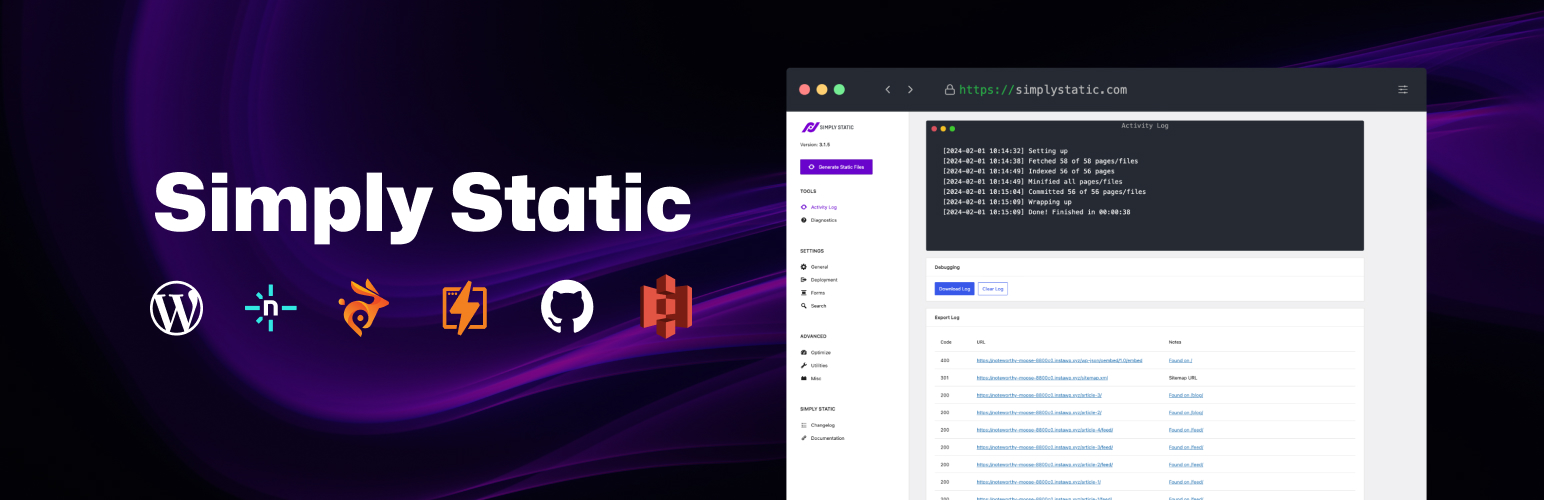 2. Static Site Generators
- Some people use WordPress only as a content editor, then export the site as static HTML, with the plugins like Simply Static.
- Static sites can be hosted for free on places like Netlify, GitHub Pages, or Cloudflare Pages.
- Benefit: speed and security. Downside: it’s less flexible, and you lose dynamic features (like comments or ecommerce).
3. Headless WordPress
- In a headless setup, WordPress is just the content manager (backend).
- The actual site is built with another framework (like React or Next.js) and hosted separately.
- This is advanced territory — mostly for developers or agencies building modern web apps.
So in short: you don’t need hosting for WordPress if you’re on WordPress.com, using a static generator, or going headless.
Alternatives to Hosting for WordPress
If you decide WordPress hosting isn’t for you, here are some other options:
- Wix → All-in-one builder, no hosting needed.
- Squarespace → Great for design-focused sites.
- Webflow → More control and animations, also includes hosting.
- Ghost → A WordPress alternative for blogging/newsletters with built-in hosting.
- Google Sites → Very simple, no hosting setup required.
Each of these platforms bundles the hosting and the site builder together, so you don’t need to think about hosting at all.
Recommendation
For most beginners and small businesses, yes — you’ll need hosting for WordPress. It’s the most flexible path, and hosting plans are cheap (starting at just a few dollars per month).
- If you want a quick and easy start → go with WordPress.com or Wix.
- If you want full freedom and the ability to grow → go with WordPress.org + hosting.
- If you’re a developer experimenting with modern stacks → try headless WordPress or static generators.
In plain English: if you just want to publish content, skip the hosting headache with WordPress.com. If you want control and scalability, go with hosting.
FAQ: Do I Need Hosting for WordPress?
Q1: What’s the difference between WordPress.com and WordPress.org?
- WordPress.com = hosting included, less flexible.
- WordPress.org = self-hosted, full control.
Q2: Can I run WordPress without hosting?
- Only if you use WordPress.com, or turn WordPress into a static or headless setup. Otherwise, yes, hosting is required.
Q3: What is “WordPress hosting”?
- It’s hosting optimized for WordPress: pre-installed, tuned servers, automatic updates. Managed WordPress hosting takes care of most technical details for you.
Q4: Can I use free hosting for WordPress?
- You can, but it’s usually slow, limited, and insecure. If your site matters to you, invest in proper hosting.
Q5: Do I need hosting for WordPress if I just want a blog?
- If you’re okay with limited customization, use WordPress.com. If you want plugins, themes, and growth, get hosting.
Conclusion
So, do you need hosting for WordPress? Most of the time, yes. If you’re using WordPress.org, you’ll need to pick a hosting plan. If you’re using WordPress.com or advanced setups like static or headless, you don’t.
The best way to think about it:
- Hosting = the apartment.
- WordPress = the furniture and design.
Most people need both to live comfortably online. But if you’d rather move into a fully furnished apartment, services like WordPress.com, Wix, or Squarespace already come with hosting included.
At the end of the day, choosing between WordPress hosting and alternatives comes down to one thing: how much control do you want over your site?